 EN
EN
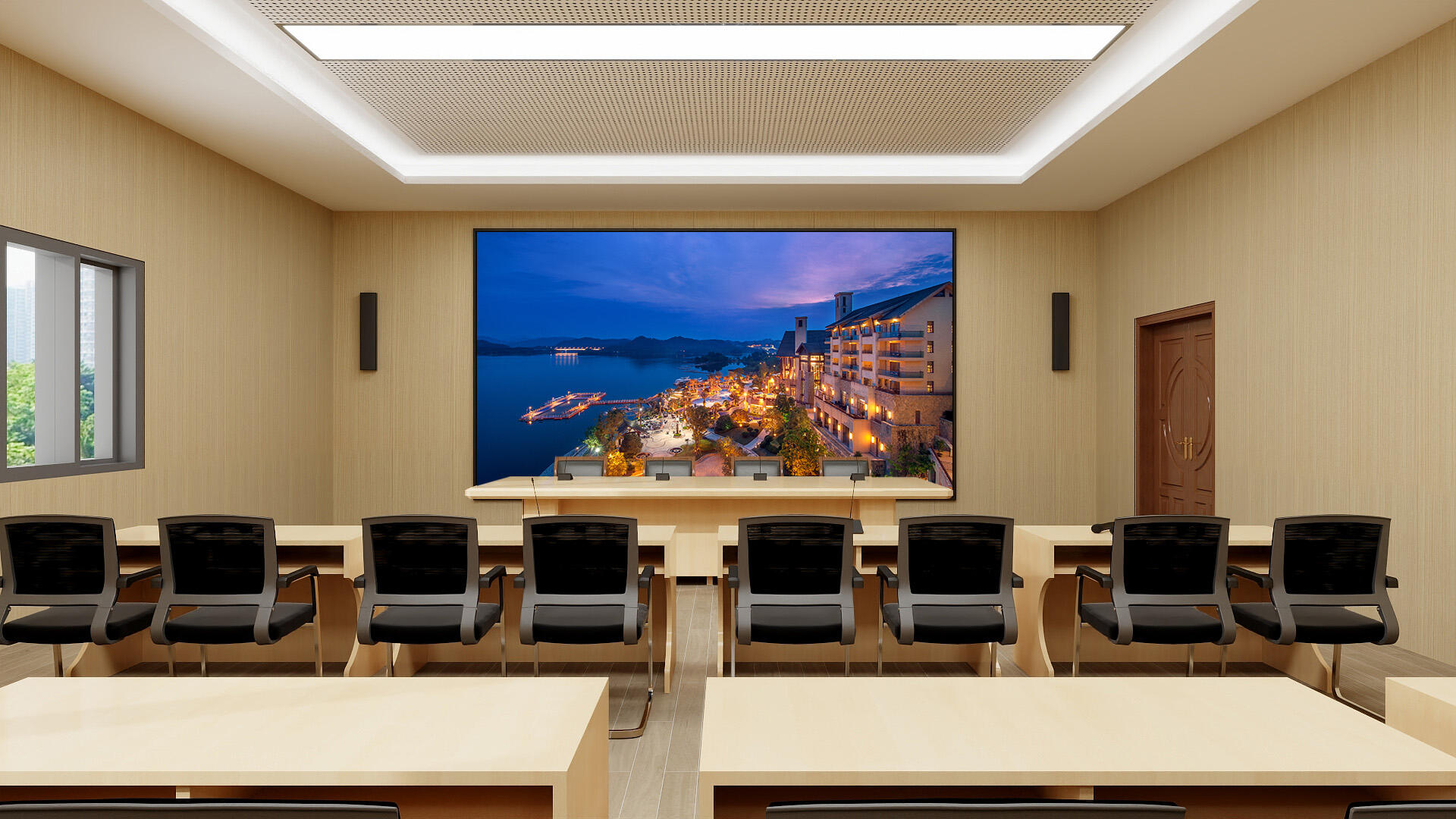
Creating content for 4K/8K LED displays demands a fundamentally different approach than traditional digital signage production. The exponential increase in pixel density—3840×2160 for 4K and 7680×4320 for 8K—means that every visual element, from typography to video compression, requires meticulous attention to ensure optimal display quality. As organizations invest in advanced 4K/8K LED displays for corporate lobbies, retail environments, command centers, and educational institutions, understanding the technical requirements and creative best practices becomes critical to maximizing return on investment and delivering compelling visual experiences that leverage the full capability of ultra-high-definition technology.
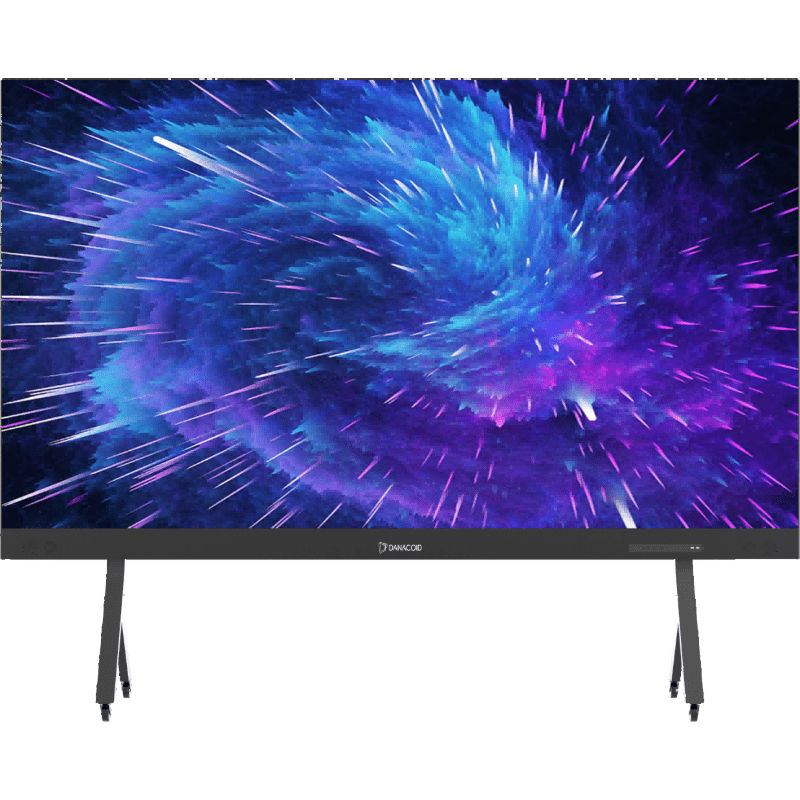
The challenge of content creation for 4K/8K LED displays extends beyond simply working with larger file sizes. Professionals must consider aspect ratio variations, color space management, refresh rate compatibility, and the unique viewing distances typical of large-format installations. This comprehensive guide explores the essential best practices and actionable tips that content creators, digital signage managers, and creative teams need to produce visually stunning, technically sound content that fully exploits the resolution advantages of modern ultra-high-definition LED display systems while maintaining workflow efficiency and consistent quality across diverse deployment scenarios.
Understanding the Technical Foundation of Ultra-High-Definition Content
Resolution Requirements and Native Output Standards
Working with 4K/8K LED displays requires content creators to understand native resolution specifications and how they impact production workflows. A 4K display operates at 3840×2160 pixels, delivering approximately 8.3 million pixels, while 8K displays quadruple that density to 7680×4320 pixels, representing over 33 million individual pixels. When creating content for these 4K/8K LED Displays, always work at native resolution or higher to prevent upscaling artifacts that become immediately visible on high-resolution screens. Establish your project canvas at the exact pixel dimensions of your target display, and maintain this resolution throughout the entire production pipeline from initial design through final export.
Beyond simple pixel counts, aspect ratio considerations significantly affect content design for 4K/8K LED displays. While standard 16:9 remains common, many LED installations use custom aspect ratios including ultra-wide 21:9, vertical portrait orientations, or irregular shapes that require careful planning during the initial creative phase. Before beginning any content creation project, obtain exact specifications from your display provider including native resolution, physical dimensions, pixel pitch, and viewing distance parameters. These technical specifications directly influence design decisions such as minimum font sizes, appropriate graphic detail levels, and safe zones for critical information that must remain visible from various viewing angles.
Color Space Management and Bit Depth Considerations
Professional content creation for 4K/8K LED displays demands rigorous color space management to ensure accurate reproduction across the entire visual spectrum. Modern LED displays typically support wider color gamuts including DCI-P3 or Rec.2020, which encompass significantly more colors than traditional sRGB workflows. Configure your design software to work in the appropriate color space from the beginning—preferably matching the native color space of your target display system. When creating video content, use 10-bit color depth minimum rather than 8-bit to prevent banding artifacts that become painfully obvious on high-quality LED screens, particularly in gradients and subtle tonal transitions common in corporate branding materials and environmental imagery.
Understanding the relationship between source color profiles and display capabilities prevents common mistakes in ultra-high-definition content creation. Export your final content with embedded color profiles that match your LED display specifications, and always perform color calibration tests on the actual hardware before full deployment. For 4K/8K LED displays installed in environments with varying ambient lighting conditions, consider creating multiple versions of critical content with adjusted brightness and contrast curves that maintain visual impact across different times of day or lighting scenarios. This level of technical precision ensures consistent brand representation and visual quality regardless of environmental variables that might otherwise compromise content effectiveness.
Frame Rate and Motion Handling Specifications
Content featuring motion graphics or video for 4K/8K LED displays requires careful attention to frame rate selection and temporal resolution. While 30fps remains acceptable for static or slow-moving content, dynamic presentations benefit significantly from 60fps production, which LED displays render smoothly without the motion blur associated with LCD technology. When creating motion graphics, animations, or video content, select your frame rate based on content type and viewing context—conference room presentations may work well at 30fps, while retail environments with moving viewers benefit from 60fps smoothness that maintains visual clarity even when audiences are in motion past the display.
The refresh rate capabilities of 4K/8K LED displays also influence motion design decisions. High-quality LED systems operate at refresh rates of 1920Hz or higher, eliminating flicker and enabling smooth playback of high-frame-rate content without judder or stuttering. When producing animated content, avoid rapid cuts or extremely fast motion that might create strobing effects, and use motion blur strategically in rendered animations to maintain natural movement perception. Test all motion content on the actual LED display hardware before final approval, as motion artifacts that remain invisible on computer monitors often become apparent on large-format displays with superior temporal resolution and viewer proximity that reveals every frame transition detail.
Optimizing Visual Assets for Maximum Impact
Typography and Text Readability Standards
Typography presents unique challenges when creating content for 4K/8K LED displays, particularly in large-format installations where viewing distances vary significantly. The exceptional clarity of ultra-high-definition displays allows for smaller text than traditional signage, but this technical capability must be balanced against practical readability considerations. Establish minimum font sizes based on the farthest anticipated viewing distance—as a baseline, body text should never fall below 48 points for 4K displays and 60 points for 8K installations when viewed from 10 feet away. These minimums increase proportionally with viewing distance, and critical information such as calls-to-action or safety messages should use even larger sizes with high-contrast color combinations to ensure universal readability.
Font selection for 4K/8K LED displays should prioritize clarity over decorative complexity. Sans-serif typefaces with uniform stroke weights and generous character spacing perform best on LED technology, where individual pixels render each letterform. Avoid extremely thin or ornate fonts that may lose definition when converted to discrete pixels, and always test typography at actual size on the target display before finalizing designs. Consider that LED displays excel at rendering crisp edges, making them ideal for bold, clean typography that leverages their technical capabilities. Implement adequate line spacing—at minimum 150% of font size—and avoid justified text alignment that creates irregular word spacing, opting instead for left-aligned or centered text that maintains consistent character relationships.
Image Resolution and Quality Preparation
Preparing photographic and graphic imagery for 4K/8K LED displays requires source materials that match or exceed the display resolution to prevent visible pixelation or softness. When selecting stock photography or commissioning original images, always acquire assets at 300 DPI when calculated at the physical display dimensions, or work with pixel dimensions that match your display resolution precisely. For a 4K display measuring 75 inches diagonally, this translates to source images of approximately 6000×4000 pixels minimum. Never rely on upscaling algorithms to compensate for undersized images, as the exceptional clarity of LED technology immediately reveals interpolation artifacts and loss of fine detail that might pass unnoticed on lower-resolution displays.
Image processing workflows for 4K/8K LED displays should include sharpening techniques specifically optimized for pixel-based reproduction. Apply moderate unsharp masking with radius settings between 1.0 and 2.0 pixels, and use luminance-only sharpening to avoid color fringing along high-contrast edges. When working with product photography or detailed technical diagrams destined for LED display, ensure images include adequate depth of field to maintain sharpness across the entire composition, as soft focus areas become more apparent on high-resolution screens. Implement color correction and tonal adjustments using adjustment layers in professional editing software, and always work in 16-bit color depth during processing to maintain maximum tonal information before final conversion to display-ready 10-bit output formats.
Video Production and Compression Techniques
Video content represents the most technically demanding media type for 4K/8K LED displays, requiring careful attention to shooting, editing, and compression stages. When producing original video, shoot at native 4K or 8K resolution using professional cameras with adequate bitrate capabilities—minimum 150 Mbps for 4K and 300 Mbps for 8K to capture sufficient detail for LED reproduction. Use consistent white balance throughout shooting to prevent color shifts that become exaggerated on wide-gamut displays, and maintain proper exposure levels avoiding both blown highlights and crushed shadows that reduce the effective dynamic range visible on high-contrast LED screens. Consider that LED displays can reproduce brightness levels exceeding 1000 nits, making proper exposure critical to leverage this extended brightness capability without washing out subtle details.
Compression settings for video destined for 4K/8K LED displays require balancing file size constraints against quality preservation. Use H.265 (HEVC) codec rather than older H.264 when possible, as it provides approximately 50% better compression efficiency crucial for managing the massive file sizes of ultra-high-definition video. Target bitrates of at least 50 Mbps for 4K content and 100 Mbps for 8K to maintain quality during playback on premium LED systems. Configure encoding with constant quality (CQ) or constant rate factor (CRF) modes rather than constant bitrate, allowing the encoder to allocate more data to complex scenes while maintaining efficiency in simpler passages. Always encode with appropriate color space tags matching your display specifications, and preview final compressed files on the actual LED hardware to verify that compression artifacts remain below visibility thresholds under real viewing conditions.
Design Principles for Large-Format LED Environments
Visual Hierarchy and Information Architecture
Designing effective content for 4K/8K LED displays requires strategic visual hierarchy that guides viewer attention through information layers despite the physical scale of the presentation. Unlike desktop or mobile interfaces where users control their viewing distance and attention, large-format LED installations must account for viewers at varying distances with different attention spans and information needs. Implement a clear three-tier hierarchy placing the most critical message elements in the largest, highest-contrast zones occupying approximately 30% of screen space, with secondary information at medium scale in 40% of space, and tertiary details or background elements filling the remaining 30%. This proportional allocation ensures that key messages remain readable from maximum viewing distances while detailed content becomes accessible as viewers approach the display.
Content layouts for 4K/8K LED displays benefit from generous negative space that prevents visual overwhelming and maintains focus on priority information. While the temptation exists to fill every pixel of expensive display real estate, professional designs incorporate substantial margins—minimum 10% of screen dimensions on all edges—and strategic whitespace between content blocks that create natural visual pauses. This approach proves particularly important for LED installations in high-traffic environments where viewers have limited time to process information. Design compositions following the rule of thirds, placing focal points at natural visual rest points rather than dead center, and use directional elements such as arrows, lines, or gaze direction in photography to guide viewer attention through the content sequence in deliberate order.
Animation and Motion Design Strategies
Motion design for 4K/8K LED displays amplifies engagement but requires restraint and purpose to avoid creating visual fatigue or distraction. Animation should serve specific communication objectives—drawing attention to key information, illustrating processes or relationships, or providing visual interest during extended passive viewing—rather than simply showcasing technical capabilities. Limit simultaneous moving elements to three or fewer to maintain visual coherence, and use animation duration between 0.3 and 0.8 seconds for interface transitions, with longer durations up to 2 seconds for narrative or explanatory animations that require viewer comprehension. Implement easing functions that create natural acceleration and deceleration rather than linear motion, which appears mechanical and draws unnecessary attention to the animation technique itself.
When creating motion graphics for 4K/8K LED displays, consider the pixel-level precision these systems provide and design animations that leverage this capability. Smooth, continuous motion trajectories work better than stepped or jerky movements that fight against the display's high temporal resolution. Use motion blur judiciously—while LED displays can render perfectly sharp motion, strategic blur in complex animations helps maintain natural movement perception and prevents strobing effects. For looping content common in retail or public installations, design seamless loops with careful attention to entry and exit states, ensuring that the final frame transitions imperceptibly back to the first frame without jarring visual discontinuities that break viewer immersion. Test all animated content at full resolution on actual LED hardware, as motion rendering characteristics differ significantly from computer monitor preview.
Ambient Environment and Lighting Considerations
Successful content for 4K/8K LED displays accounts for the ambient environment where the display operates, adjusting design decisions based on lighting conditions, viewing angles, and physical context. LED displays installed in bright environments such as retail windows or outdoor locations require higher contrast ratios and bolder color choices than those in controlled interior spaces. When creating content for bright environments, use color combinations with significant luminance contrast—pairing dark text with light backgrounds or vice versa—and avoid low-contrast color relationships that rely solely on hue differences, which become difficult to distinguish under high ambient light. Consider creating environment-specific versions of key content with adjusted brightness curves and contrast levels that maintain visibility across the expected range of lighting conditions throughout operational hours.
Viewing angle considerations influence composition decisions for 4K/8K LED displays in environments where audiences approach from varied directions. LED technology provides excellent off-axis viewing compared to LCD alternatives, but extreme angles still reduce effective contrast and color saturation. For installations where viewing occurs from 45-degree or greater off-axis positions, increase contrast between foreground and background elements, and avoid subtle tonal gradients that compress when viewed from acute angles. In environments where displays mount above or below eye level, adjust text positioning to account for perspective distortion, keeping critical information within the central 60% of screen space where readability remains consistent regardless of viewer position. Site visits to the actual installation location during content planning phase provide invaluable context for these environment-specific design optimizations.
Technical Production Workflows and Asset Management
Software Configuration and Production Setup
Establishing proper software configuration forms the foundation of efficient content creation for 4K/8K LED displays. Configure your primary design applications—whether Adobe Creative Suite, Cinema 4D, or other professional tools—with project presets matching your exact display specifications before beginning any creative work. Set canvas dimensions to native display resolution, configure color management to match display gamut, and establish appropriate DPI settings that correspond to the physical display size and typical viewing distance. Create custom workspace layouts within your software that accommodate the large canvas sizes of ultra-high-definition projects, arranging panels and tools to maximize preview area while maintaining access to essential controls. These foundational settings prevent costly mid-project corrections and ensure consistent technical quality across all deliverables.
Hardware requirements for producing content for 4K/8K LED displays exceed standard design workstation specifications due to the computational demands of ultra-high-resolution assets. Professional content creation workstations should include minimum 32GB RAM for 4K workflows and 64GB or more for 8K production, paired with dedicated GPUs featuring at least 8GB VRAM to handle real-time preview and rendering operations. Configure high-speed storage solutions using NVMe SSDs for active project files, with RAID arrays for archived content that balances performance with capacity. When working with video content for LED displays, implement proxy workflows using lower-resolution preview files during editing while maintaining links to full-resolution source materials for final rendering. This approach maintains responsive editing performance while ensuring final output leverages complete source quality appropriate for premium LED reproduction.
Quality Control and Testing Protocols
Rigorous quality control separates professional content for 4K/8K LED displays from amateur attempts that fail to leverage the technology's capabilities. Implement multi-stage review processes beginning with pixel-level inspection at 100% magnification to verify that text remains sharp, images show no compression artifacts, and animations render cleanly without stuttering or dropped frames. Use professional calibrated reference monitors during the creation and initial review phase, but always conduct final approval on the actual LED display hardware where content will deploy. This on-hardware testing reveals issues invisible on computer monitors including subtle color shifts, contrast compression in specific tonal ranges, and motion artifacts that emerge only under LED display characteristics.
Develop comprehensive testing checklists specific to content types and deployment contexts for your 4K/8K LED displays. For static graphic content, verify minimum font sizes, color contrast ratios, safe zone compliance, and resolution adequacy across all image elements. Video content testing should confirm proper frame rate maintenance, audio synchronization if applicable, smooth playback without dropped frames, and seamless looping for continuous-play scenarios. Interactive content requires additional testing of touch response accuracy, navigation logic, and timeout behaviors. Document all testing results with annotated screenshots or video captures that facilitate communication between creative teams, technical staff, and clients, establishing clear approval trails that prevent last-minute surprises during installation or public deployment of LED display content.
File Format Selection and Delivery Specifications
Selecting appropriate file formats for content destined for 4K/8K LED displays balances quality preservation with compatibility across playback systems and content management platforms. For static imagery, use PNG format with 10-bit color depth for graphics with transparency requirements, or high-quality JPEG with quality settings of 95 or higher for photographic content without transparency. Avoid web-optimized formats that apply aggressive compression, as file size savings prove insignificant compared to the quality degradation visible on ultra-high-resolution displays. When delivering layered compositions for future editing, provide master files in native application formats—PSD for Photoshop, AI for Illustrator—alongside flattened export versions, ensuring clients retain maximum flexibility for future content iterations.
Video delivery for 4K/8K LED displays requires codec selection matching the playback hardware capabilities while maintaining pristine quality. MP4 containers using H.265 codec provide excellent compatibility with modern media players while achieving necessary compression efficiency for ultra-high-definition content. Configure exports with progressive scan rather than interlaced, use appropriate color space metadata tags, and embed audio tracks at minimum 256 kbps AAC encoding to match visual quality standards. For installations using professional digital signage platforms, consult platform documentation for specific format requirements, as some systems impose additional constraints on resolution, codec, or bitrate. Provide clients with detailed technical specifications documentation accompanying each deliverable, including exact resolution, codec settings, color space, frame rate, and intended playback environment, ensuring proper implementation by technical teams responsible for content deployment on LED display systems.
Advanced Techniques for Professional Results
HDR Content Creation and Tone Mapping
High Dynamic Range content creation represents the frontier of professional production for 4K/8K LED displays, leveraging their superior brightness and contrast capabilities. Modern LED displays support peak brightness levels exceeding 1000 nits and contrast ratios of 5000:1 or higher, enabling HDR content that displays a broader range of luminance values than standard dynamic range materials. When creating HDR content, work in HDR-capable software with proper monitoring equipment that accurately represents the extended tonal range. Shoot or render content with exposure values that preserve detail in both highlight and shadow regions, avoiding clipped extremes that limit the display's ability to reproduce the full dynamic range. Grade HDR content specifically for LED display reproduction rather than repurposing television HDR grades, as viewing distance and ambient lighting conditions differ significantly between home entertainment and professional LED installation contexts.
Tone mapping techniques bridge the gap between HDR source materials and the specific capabilities of target 4K/8K LED displays. Each LED display model features unique brightness and contrast specifications that influence optimal tone mapping parameters. Work with display manufacturers to obtain exact HDR specifications including peak brightness in nits, minimum black level, and supported HDR standards such as HDR10 or Dolby Vision. Apply tone mapping that preserves creative intent while maximizing the display's capability, avoiding both overly conservative approaches that fail to leverage brightness potential and aggressive mapping that creates unnatural appearance or viewer fatigue. Test HDR content on actual hardware throughout the grading process, as accurate HDR preview on standard computer monitors remains technically challenging even with specialized monitoring equipment.
Interactive Content Design Principles
Interactive content for 4K/8K LED displays with touch capability requires additional design considerations beyond static or linear presentations. Touch targets must meet minimum size requirements that account for both finger precision and display scale—buttons and interactive elements should measure at least 80 pixels square at the low end, with 120 pixels or larger preferred for displays mounted at standing height where users interact at arm's length. Provide adequate spacing between adjacent interactive elements—minimum 40 pixels—to prevent accidental activation of neighboring controls. Use clear visual affordances including button styling, hover states if the system supports them, and immediate visual feedback confirming touch registration to build user confidence and prevent repeated taps that indicate confusion about system responsiveness.
Navigation design for interactive LED display content prioritizes simplicity and discoverability over complexity and feature density. Implement shallow information hierarchies with no more than three levels of navigation depth, ensuring users can return to the main menu from any screen within two taps. Use consistent navigation patterns throughout the interface, positioning primary navigation controls in identical locations across all screens—typically along the bottom edge where they remain easily accessible without obscuring content. For installations in public environments, implement automatic timeout and return-to-attract-mode functionality that resets the interface after 60-90 seconds of inactivity, preventing subsequent users from encountering mid-session states left by previous interactions. Design attract-mode screens with motion and high visual interest that draw attention from passing traffic while clearly communicating interactive capabilities through visual cues such as hand icons, animated touch targets, or explicit instructional text.
Content Scheduling and Playlist Strategy
Strategic content scheduling maximizes the effectiveness of 4K/8K LED displays by delivering contextually appropriate messages based on time, date, audience demographics, or external data feeds. Develop content libraries organized by message type, duration, and scheduling parameters that enable flexible playlist construction. Create time-of-day variations of key messages that account for changing audience composition throughout operational hours—morning content might target commuters with quick-service messages, while afternoon and evening content addresses leisure audiences with more detailed information. Implement daypart scheduling that adjusts content brightness and color temperature to maintain optimal visibility as ambient lighting conditions change, preserving visibility and visual comfort across the full operational schedule.
Advanced playlist strategies for 4K/8K LED displays incorporate conditional logic and data integration that responds to real-world conditions. Weather-triggered content displays relevant messages based on current conditions—promoting umbrellas during rain or cold beverages during heat waves. Inventory-linked systems update product availability in real-time, preventing customer frustration from promoting sold-out items. Event-driven content switches playlist context based on calendar integrations, displaying welcome messages for specific conferences, trade shows, or corporate events. When implementing sophisticated scheduling systems, maintain fallback content that displays if data feeds fail or conditional logic produces unexpected results, ensuring the display never goes dark or shows error messages to audiences. Balance dynamic scheduling capabilities with consistency in brand presence and core messaging that remains stable even as tactical content varies based on contextual triggers.
FAQ
What minimum resolution should source images be for 4K/8K LED displays?
Source images for 4K LED displays should be at least 3840×2160 pixels at minimum, though 5000×3000 pixels or higher provides better quality especially for images that will be cropped or zoomed. For 8K LED displays, source images should be 7680×4320 pixels minimum, with 10000×6000 pixels preferred for maximum quality. Always calculate image resolution requirements based on the final display size and resolution, and acquire source materials that match or exceed these specifications rather than relying on upscaling which produces visible quality degradation on high-resolution LED technology.
How does content creation for LED displays differ from LCD displays?
Content creation for 4K/8K LED displays differs from LCD in several critical ways including higher brightness capability requiring HDR-aware production, wider color gamut support necessitating proper color space management, superior motion handling enabling higher frame rate content, and pixel-level precision that reveals compression artifacts or low-resolution assets invisible on LCD. LED displays also feature better off-axis viewing requiring less aggressive contrast boosting, and modular construction that sometimes results in non-standard aspect ratios requiring custom content dimensions. The superior technical capabilities of LED technology demand higher quality source materials and more rigorous production standards compared to LCD display content.
What video codecs work best for 4K/8K LED display content?
H.265 (HEVC) codec provides the best balance of quality and file size for video content on 4K/8K LED displays, offering approximately 50% better compression efficiency than older H.264 while maintaining visual quality. For maximum compatibility across playback systems, MP4 container format with H.265 codec, 10-bit color depth, and bitrates of 50-100 Mbps for 4K or 100-200 Mbps for 8K produces excellent results. Some professional installations use even higher bitrates or less compressed codecs like ProRes for absolute maximum quality, though file size and storage requirements increase significantly. Always verify codec compatibility with your specific LED display media player before finalizing export settings.
How often should content be updated on 4K/8K LED displays?
Content update frequency for 4K/8K LED displays depends on installation context and communication objectives, but generally should be refreshed at minimum monthly to maintain audience engagement and prevent viewer fatigue from repetitive messaging. High-traffic retail or corporate lobby installations benefit from weekly updates or dynamic scheduling that rotates content throughout each day. Time-sensitive content such as event promotions, seasonal campaigns, or news feeds requires immediate updates as circumstances change. The technical ease of updating modern LED display content—often accomplished remotely through content management systems—removes technical barriers to frequent updates, making editorial discipline and content planning the primary factors determining optimal refresh cadence rather than technical limitations.